Wie kann man den Ton auf YouTube deaktivieren?

There are countless situations where you might want the audio from a video without keeping the video itself. Maybe it’s a podcast-style interview, a motivational speech, background music, a lecture, or a long livestream discussion. Instead of streaming repeatedly, many users prefer to rip YouTube sound off and save it as an audio file for offline listening.
As the world’s largest video-sharing platform, YouTube hosts billions of videos across music, education, entertainment, and business. However, it does not provide a built-in option to rip the sound off as MP3 files (except through its own in-app offline features). That’s why users turn to alternative methods.
In this guide, we’ll explore differend methods to rip sound from youtube video. Let’s get started.
1. What Does “Ripping YouTube Sound” Mean?
Ripping YouTube sound means extracting the audio track from a YouTube video and saving it as a separate audio file. Instead of keeping the video in MP4 or WebM format, you convert it into audio-only formats such as:
- MP3
- WAV
- AAC
- M4A
This process removes the visual component and keeps only the sound.
People rip YouTube sound for several reasons:
- Listening offline without internet
- Saving storage space
- Creating playlists
- Studying lectures without watching the screen
- Archiving interviews or podcasts
2. Rip YouTube Sound by Recording
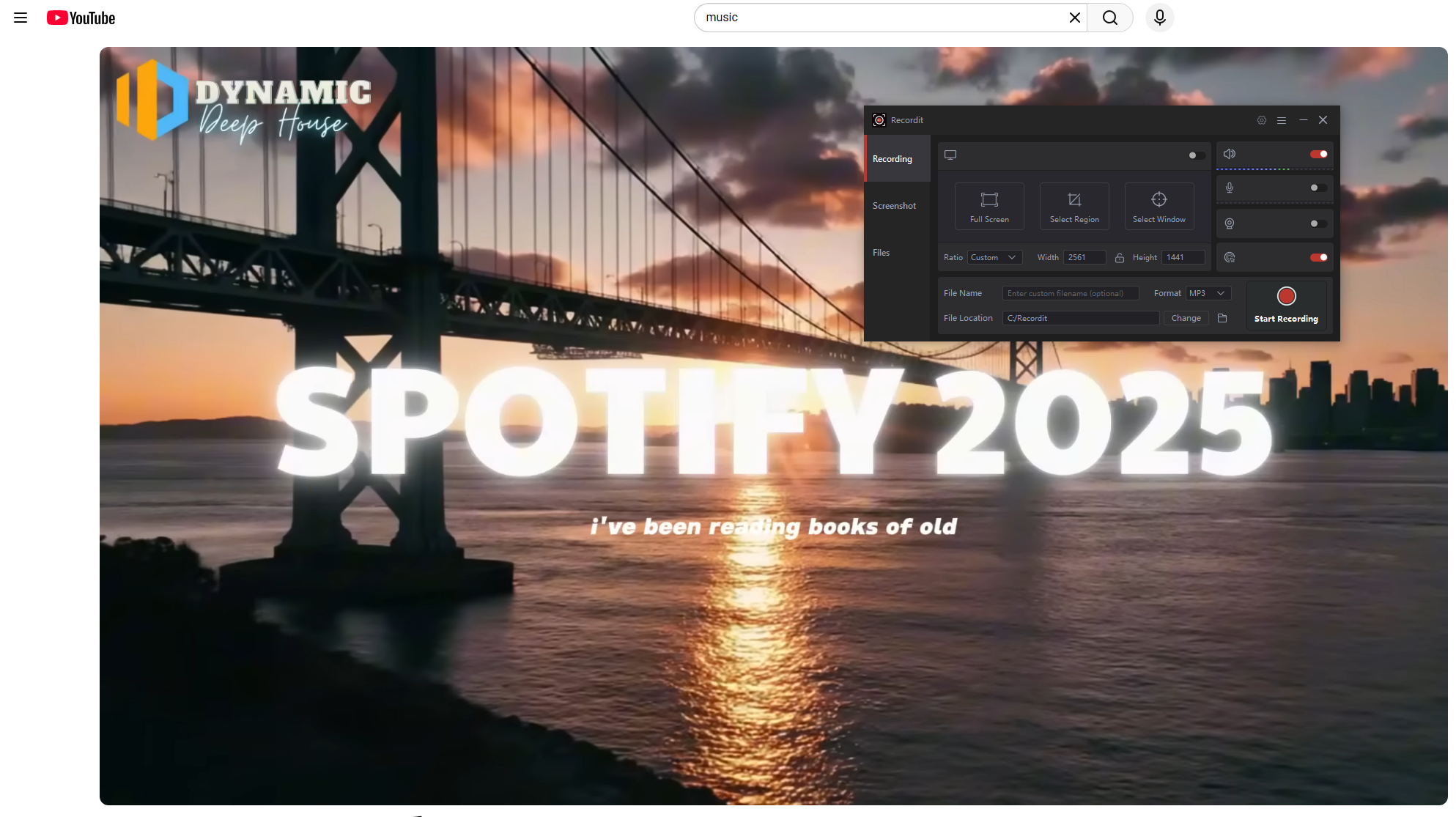
One of the simplest ways to rip YouTube sound is by recording it directly while it plays. Instead of downloading the file, you use recording software to capture system sound while the video is playing in your browser.
Steps to Record YouTube Sound :
- Install audio recording software (such as built-in system recorders or third-party tools like Recordit) and choose audio recording mode.
- Open YouTube, play the video and start recoridng.
- Once playback is complete, end the recording and choose MP3 or WAV as the output format.
Pro :
- No need for downloading websites
- Works even if downloaders fail
- Good for short clips
Nachteile :
- Muss in Echtzeit aufzeichnen
- Notifications can interrupt audio
- Slight quality loss possible
Recording works well for occasional use but is inefficient for long videos or playlists.
3. Rip YouTube Sound Off with Online Downloaders
Online downloaders are one of the most popular solutions because they require no installation.
How rip sound from YouTube video online:
- Visit a YouTube-to-MP3 website like Y2Mate.
- Copy the YouTube video URL and paste the link into the converter box.
- Choose output format (MP3 is most common), then click download.
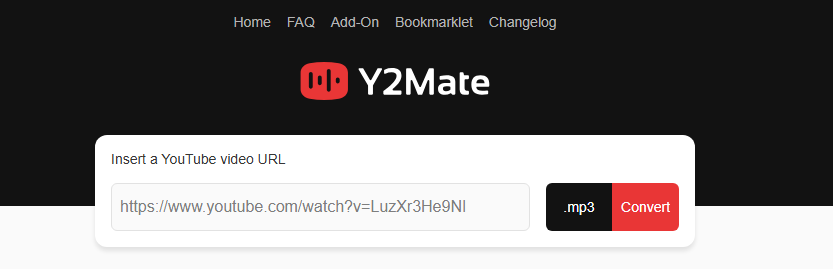
Within seconds, the platform converts the video and provides an audio file.
Vorteile:
- Kostenlose Nutzung
- Keine Softwareinstallation
- Quick process
- Accessible on any device
Nachteile:
- Ads and pop-ups
- Download speed limitations
- Limited format and bitrate options
- Often no playlist support
- Security concerns on some sites
Online downloaders are ideal for quick, one-off tasks. However, they are not reliable for bulk downloading or high-quality audio extraction.
4. Rip YouTube Sound Off with Extensions
Browser extensions offer a more integrated solution by adding a download button directly on YouTube pages. After installation, the extension automatically detects YouTube videos and provides an audio download option.
Vorgehensweise :
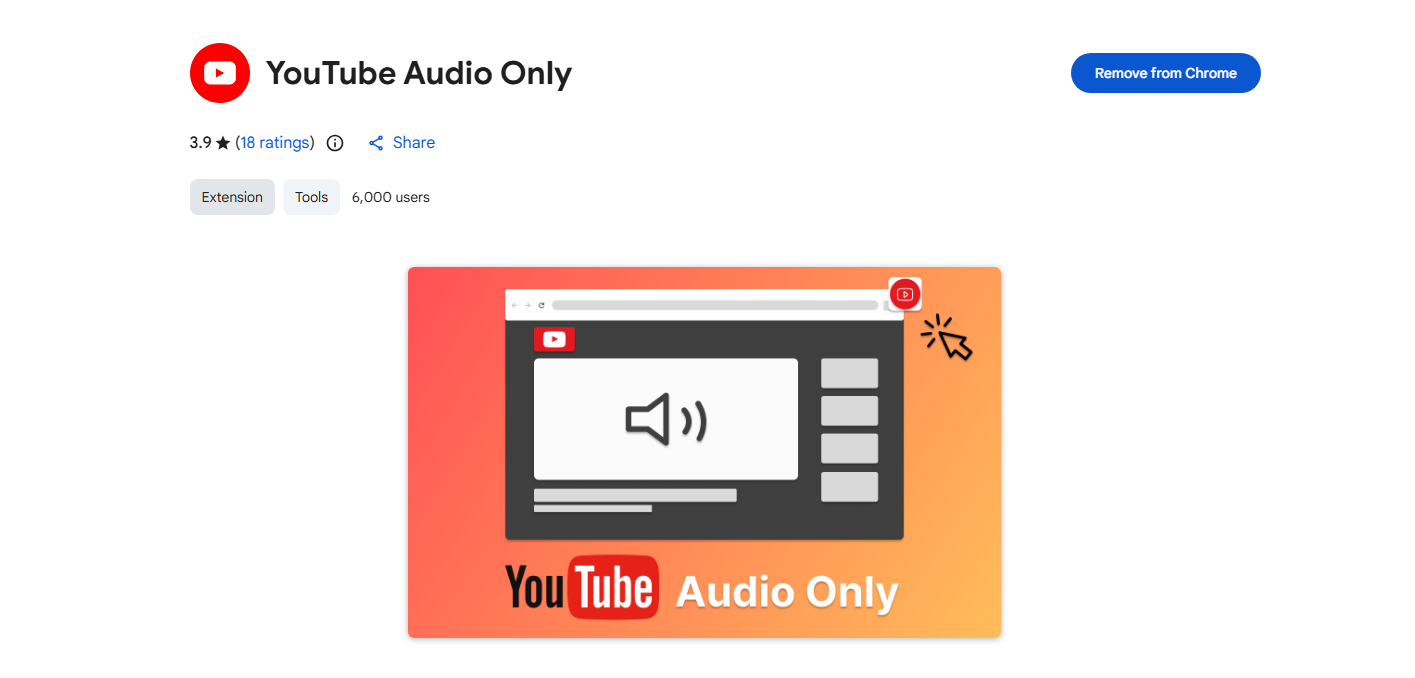
- Install a YouTube audio downloader extension like YouTube Audio Only in your browser.
- Open YouTube and play the video, then click the “Download” or “MP3” button added by the extension.
- Select quality and save the audio file on your device.
Vorteile:
- Convenient and fast
- No need to copy and paste links
- Direct integration with YouTube
Nachteile:
- Some extensions are removed from official stores
- May stop working after YouTube updates
- Limited support for playlists
Extensions are better than online downloaders in terms of convenience, but they still lack advanced features for professional users.
5. Advanced Bulk Rip YouTube Sound Off with Meget
For users who frequently extract audio, need high-quality output, or want to download entire playlists or channels, advanced desktop software is the best solution. One of the most efficient tools for this purpose is Meget.
Sehr is designed for high-speed, high-quality media downloading, including extracting audio from YouTube videos in bulk.
Hauptmerkmale von Much:
- Batch audio and video extraction/downloads
- Playlist and channel support
- High-quality output (up to 320kbps MP3)
- Multiple format options (MP3, WAV, AAC)
- Fast download speed
- Stable performance
How to Rip YouTube Sound with Meget :
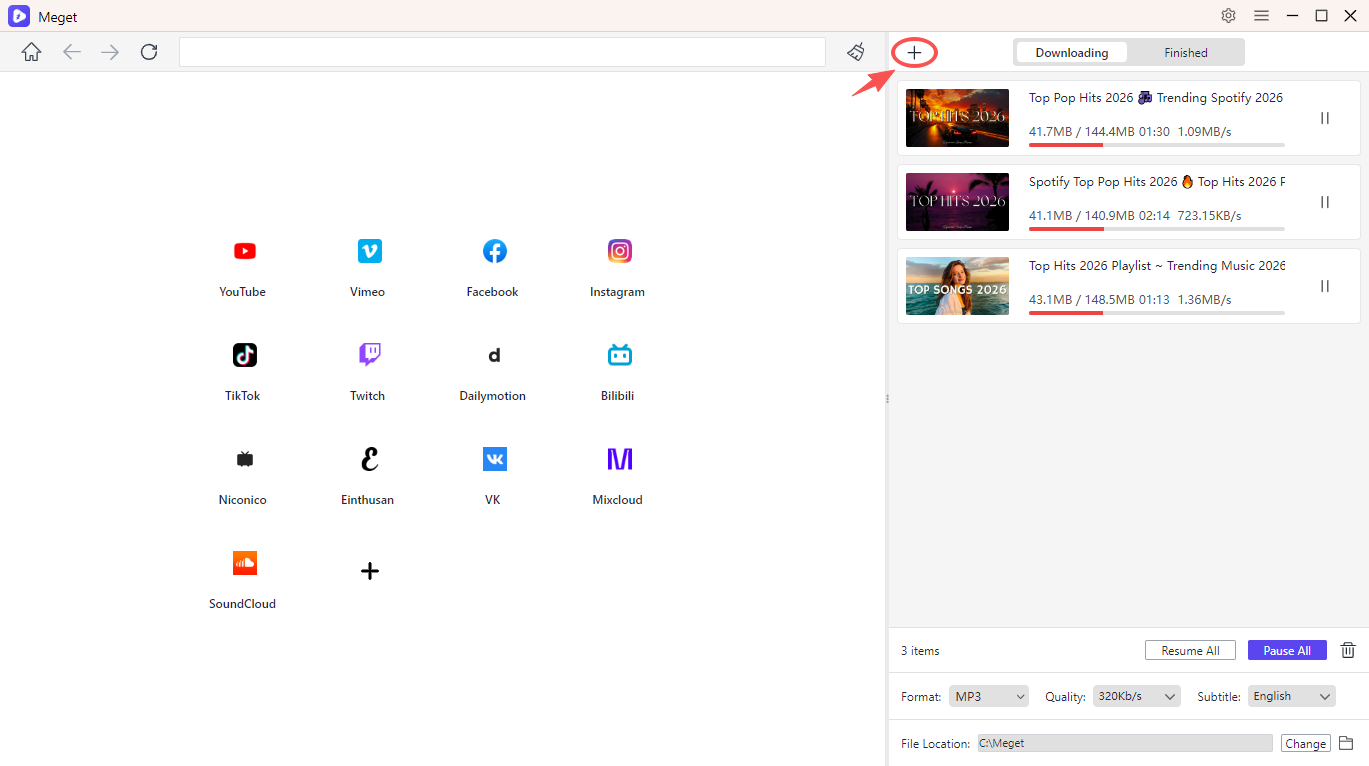
- Laden Sie Meget herunter und installieren Sie es auf Ihrem Computer.
- Launch the software, choose your preferred audio output format and quality.
- Collect the YouTube video URLs you want to extract audio from, then paste them into Meget.
- Meget will start ripping all the sound files and you can minitor the tasks on the software interface.
6. Fazit
Ripping YouTube sound off allows you to enjoy your favorite content offline, create custom playlists, and access educational or entertainment audio anytime. While YouTube does not directly provide downloadable MP3 files for most videos, there are several practical solutions available.
You can:
- Record audio manually
- Use online downloaders for quick conversions
- Install browser extensions for convenience
However, if you want speed, stability, high audio quality, and the ability to download entire playlists in one click, the best solution is Meget.
Meget stands out because it supports batch processing, high-bitrate audio extraction, and smooth performance without ads or interruptions. For anyone serious about building an offline audio library from YouTube content, Sehr is the most efficient and professional choice.
- Wie kann ich kostenlos Filme von 1movies.bz herunterladen?
- Wie kann ich Videos für Englischkurse herunterladen?
- Die besten Anime-Seiten zum Herunterladen von Videos
- Wie lade ich verschlüsselte Udemy-Videos mit FetchV herunter?
- Wie lade ich Videos aus der Meta-Werbebibliothek herunter?
- Wie lade ich Videos von BMovies herunter?
- Wie kann ich kostenlos Filme von 1movies.bz herunterladen?
- Wie kann ich Videos für Englischkurse herunterladen?
- Die besten Anime-Seiten zum Herunterladen von Videos
- Wie lade ich verschlüsselte Udemy-Videos mit FetchV herunter?
- Wie lade ich Videos aus der Meta-Werbebibliothek herunter?
- Wie lade ich Videos von BMovies herunter?